

Our advice
- Save your UID and Steam account name in a note on day one. It is the detail support needs most, and hunting for it after something breaks only adds stress.
- Treat the weekly wipe as the first suspect for any missing base or cash. Send a support ticket only after the wipe and your Steam login are ruled out.
ROB RUN Account Guide: UID, Lost Progress and Data, step by step
-
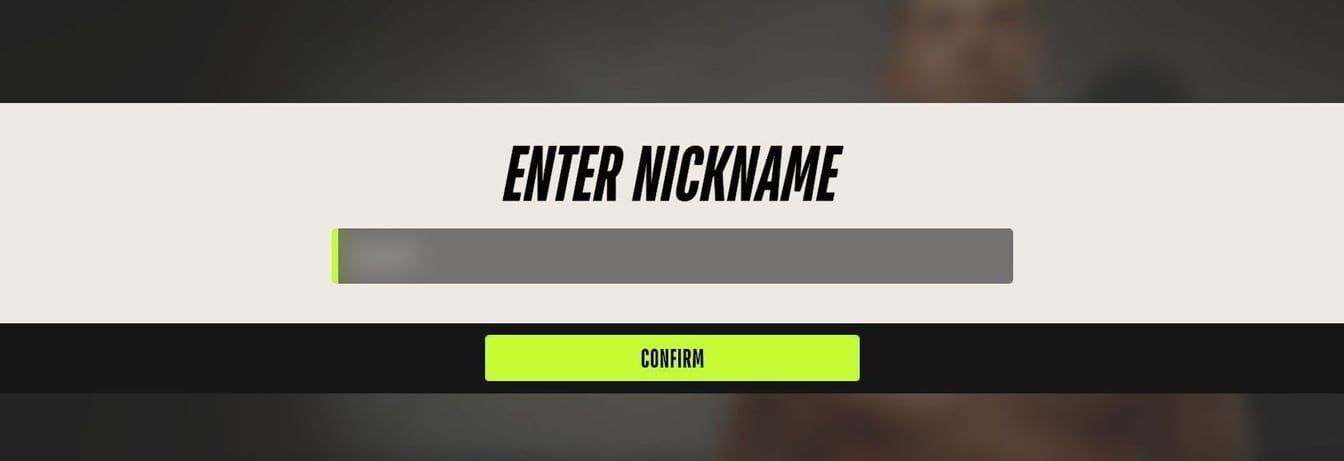
The nickname prompt on a first launch. The typed name is blurred. In-game screenshot from Steam Community / degradacija.lv Choose your nickname on the first launch
Pick a name you are happy to keep. Your player name rides through every Federal Raid wipe along with cosmetics, settings, tutorial progress and jail time, so it stays with the character week after week.
-

Illustration, not the in-game view: keep your UID and receipts somewhere you can find them. Illustration by RobRunGame.app Copy your UID from the Esc menu
Your ID sits in the Esc menu, beneath the character name on the right side of the screen. Click Copy UID, then paste it into a note together with the name of the Steam account you play on.
-
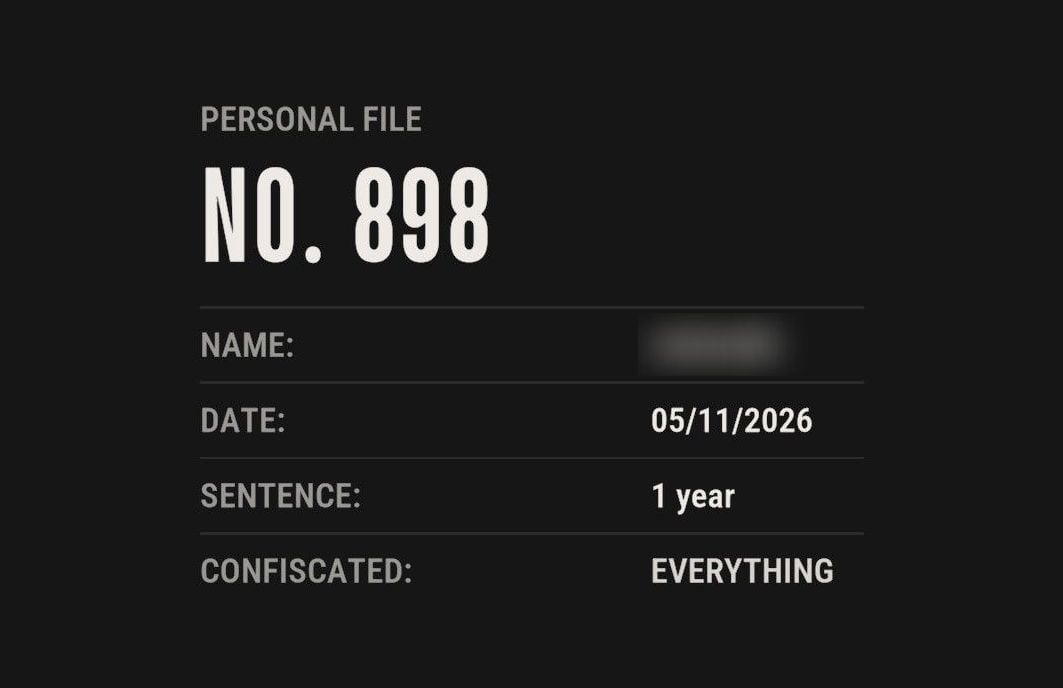
A prison personal file with a one-year sentence and everything confiscated. The name is blurred. In-game screenshot from Steam Community / cHefm0D Rule out the wipe before reporting lost progress
A weekly Federal Raid resets every player's land, base, guns and money. If that is all you lost and it happened on wipe day and Steam shows the right account, nothing is broken. If not, write to support with three things: your UID, your player name and roughly when it happened.
Where people get stuck
Writing to the privacy address to get progress back
The privacy@kefirgames.com inbox handles personal data. Deleting that data does not reset or restore game progress, so send progress problems to robrun.support@kefircyprus.com instead.
Reporting a lost base right after the wipe
That loss is the scheduled weekly reset, and it hits every player the same way. Check whether a Federal Raid just ran before you open a ticket.
Paying an outside seller for an account or game cash
Real-money trading and selling accounts both break the community rules and can end in a ban. Cash also disappears at the next wipe, so there is nothing lasting to buy.
How does a ROB RUN account work?
ROB RUN is a free crime sandbox from Kefir (Kefir Games), and your character sits on the Steam account that launches it. Two support articles make that clear. The lost-progress article tells you to confirm you are on the right Steam account before anything else. Error E-0401 shows up when Steam cannot verify who you are. Bringing Steam online under the correct login, then relaunching both Steam and ROB RUN, clears it. If you own two Steam accounts, the one running when you press Play is the one that holds your progress.
Here is what survives a wipe and what does not:
| Part of your account | Kept after the wipe? |
|---|---|
| Player name | Yes |
| Cosmetics | Yes |
| Settings and tutorial progress | Yes |
| Jail time you have built up | Yes |
| Plots, bases, weapons, cash | No |
The piece that ties it all together for support is your UID. When something breaks, that string is how Kefir finds your character, so treat it like an account number.
Where do you find your ROB RUN UID?
Open the pause menu with Esc. The UID sits on the right side of the screen, just under your character name. A Copy UID button sends it to the clipboard, so there is no need to retype a long string by hand. Paste it into a note with your Steam account name so it is ready the day something goes wrong.
Support asks for it by name when progress goes missing, together with your player name and the time. Other tickets have their own list, and adding the UID to them is cheap insurance:
| Situation | What to include |
|---|---|
| Progress missing | UID, player name, time |
| Bug report | What you did, screenshot or video |
| Repeating internal error | The error text |
| Crashes that keep happening | PC specs, description, error text |
| Purchase not received | Your receipt |
What should you do if your progress is gone?
Missing progress usually has a dull cause. The support center says to run three checks, in this order:
- Was there a wipe? The Federal Raid lands once every seven days and takes every plot, base, weapon and dollar from all players. A base that vanished on wipe day is the system working. Our ROB RUN wipe guide explains the cycle.
- Is Steam on the right account? Check which login Steam is using. If it is a different account from usual, the character you expect may simply not be there.
- Then contact support. Email robrun.support@kefircyprus.com with your UID, your player name and roughly when the progress disappeared. Add your time zone so the time cannot be misread.
One more detail is worth writing down for the ticket. If you had just moved to a friend’s server through the prison right before the problem, say so. The ROB RUN server guide walks through how that move works, so you can describe exactly what you clicked.
What do the wipe and an arrest take from you?
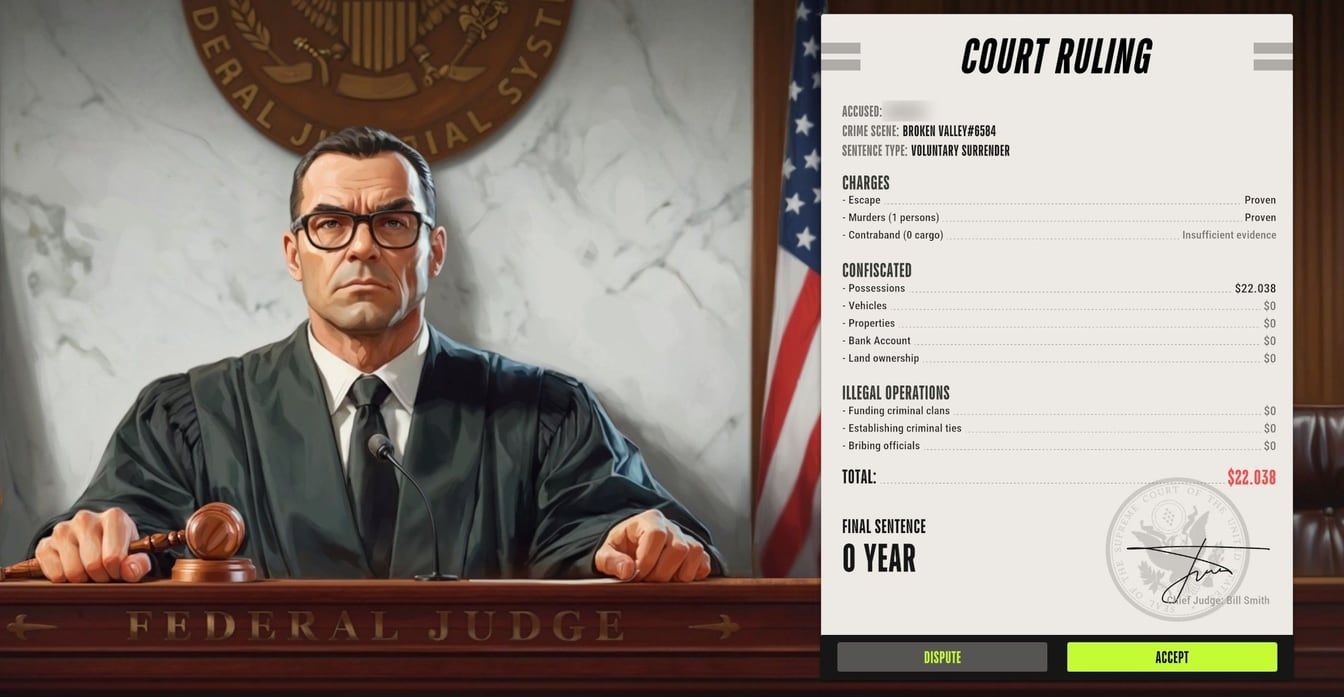
Two different events can empty your pockets, and neither one is an account fault.
The wipe is on a schedule and hits everyone. As of November 11, 2026, it comes around weekly. Jail time and authority are what you get back for everything the raid takes. Your name, cosmetics, settings, tutorial progress and stored jail time come through untouched. Early Access rules can change, so treat the weekly length as current, not permanent.
An arrest is personal. Anything worn or equipped stays on you after you give yourself up; the bag is what the police take. The court ruling sheet lists what was taken, so read it before you decide something is bugged.
| Event | You lose | You keep |
|---|---|---|
| Federal Raid wipe | Plots, bases, weapons, cash | Name, cosmetics, settings, jail time |
| Surrender to police | Everything in your bag | Equipped gear |
Between wipes, the bank is the safe spot. Loose cash is exposed to thieves and to the police. Money you launder into a Looty Bay Bank account, opened as a Civilian, cannot be stolen before the next wipe.
How do you delete or update your personal data?
Personal data has its own inbox. Write to privacy@kefirgames.com if you want a copy of what Kefir holds about you, want it corrected, or want it removed. It is separate from the game support inbox.
The key point for players: a game progress reset is not part of a data deletion request. If what you really want is a clean slate in Looty Bay, the weekly wipe already gives you one for plots, bases, weapons and cash. A privacy request is the right tool only when the data itself is the concern.
When you send the request, it makes sense to include your UID and player name. That points Kefir at the right character instead of leaving it to guess from an email address.
What can get a ROB RUN account banned?
The community rules name the behavior that can cost you an account, and Easy Anti-Cheat runs alongside the game to guard against cheating.
| Behavior | Possible result |
|---|---|
| Using cheats | Permanent ban |
| Exploiting bugs for an advantage | Ban |
| Real-money trading | Ban |
| Selling accounts | Ban |
| Harassment, spam or doxxing | Ban |
Cheats are the one case with a fixed outcome: Kefir says a player caught using them is banned for good. The other items on the list can lead to a ban.
The buying side matters too. Paying real money to someone for in-game cash is real-money trading, and an account offered for sale only exists because someone broke the selling rule. Either way, the character you paid for is the one at risk, and the value is poor. Cash disappears at the next weekly wipe, and B-Coins are cosmetic-only, giving no edge in stats, balance or progression. Do not buy accounts or game money from outside sellers.
If you find a bug, report it to support with what you were doing, plus a screenshot or video, rather than using it.
What if a purchase did not arrive?
B-Coins only unlock cosmetic items, and cosmetics stay with your account through every wipe. A missing one is worth chasing. Try the quick fixes first:
- Restart the game.
- Open your in-game mail and look for the item there.
- Still missing? Send support a ticket with the Steam receipt attached.
To get the receipt, open your purchase history in Steam, pick the transaction, and choose to view or print it. Steam also emails a copy, so a search of your inbox for the receipt is often faster.
Put your UID and player name in the same message so the payment is easy to match to your character.
ROB RUN Account Guide: UID, Lost Progress and Data: FAQ
How does a ROB RUN account work?
Your character lives on the Steam account you launch the game from. Your name, cosmetics, settings, tutorial progress and jail time carry through each weekly wipe, and the Esc menu shows the UID that support uses to find you.
How do you find your ROB RUN UID?
Open the Esc menu and read the ID shown beneath your character name. A Copy UID button next to it saves the number to your clipboard, ready to paste into a support email.
What should you do if you lost your ROB RUN progress?
First see whether a Federal Raid wipe just ran, then confirm Steam is signed in to the right account. If neither explains it, email robrun.support@kefircyprus.com with your UID, player name and roughly when it happened.
Can you delete your ROB RUN account data?
Requests to see, correct or delete personal data go to privacy@kefirgames.com. A data request does not touch game progress, so it is not a way to start over.
Can you get banned for buying a ROB RUN account?
Selling accounts and real-money trading are both on the banned list in the community rules, and breaking them can lead to a ban. Paying an outside seller puts the account you paid for at risk.
Does the ROB RUN wipe delete your account?
No. Once a week the Federal Raid takes your land, base, guns and money and turns their value into jail time and authority. Your name, cosmetics, settings, tutorial progress and jail time stay on the account.
What do you do if a ROB RUN purchase did not arrive?
Restart the game and open your in-game mail. If the item is still missing, contact support and attach the receipt, which you can pull from your Steam purchase history or your email.